
Navigation: The Nerve Center of Your Site
by © 2002 ~ June Kaminski, MSN PhD(c)
No matter how you do it, keep your navigation visually appealing, clean and simple. Your visitors should not hesitate for a minute. Their next destination on your site should be easy to get to. Make it flow! "
Introduction
Excellent websites combine well thought-out layout, navigation, graphics and content. Without clear and logical navigation, the most visually appealing site: even those with loads of valuable content, fall short. It is crucial that your visitors can easily get around your site. Navigation is like the nervous system of our bodies. It connects everything else, allowing movement and flow as your viewers explore your website.
When it comes to navigation, you have several choices. The key is to pick one, and stick to it consistently throughout your site. Navigation can be as simple as a set of uniform buttons placed strategically in the same place on every page. Or it can consist of Java based panels or trendy Flash hot spots. The trick isn't to use complicated methods just because you can. Rather, to pick the style of navigation that will suit your targeted audience.
Map It!
 Depending on the style of website you design, image maps may be the perfect solution for your navigation. Basically, an image map is some sort of metaphoric image with "hot spots" selected to serve as links to subsequent pages. This style of navigation is perfect for sites that depend on visual appeal and wish to lead the viewer through the site using a stylistic aesthetic interface. HTML.com provides direction in Understanding Imagemaps. A similar yet alternative way to get an image map effect is to dice up a larger graphic and assign your different pages to each slice. This takes a basic graphics program that can dice images for best results. See How To Make A Responsive Image With Clickable Areas to find out how it's done.
Frame It!
Frames are an innovation that allow you to keep your navigation buttons or text stationary, along with anything else you want on every page of your site. They can be an effective way to present your site's core components, or they can be a nightmare. Depending on your viewers' browsers, frames may or may not drive them crazy. It's important to plan them carefully so that the scrollbars that arise with frames are manageable and not unsightly. Frames must work with your code, or they will drive YOU to distraction! The trick with frames is to keep it V-E-R-Y simple.
Table It!
A very simple way to offer clear navigation is to create a small table with your various category names within their own cells. The table can be repeated on each page. Matt Boldt offers easy directions for doing this at Building Great Nav Bars With display:table.
Make A Bar
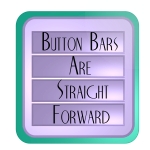 Navigation Bars are one of the most common ways to help your visitors get around your site. From simple strategically arranged text to symbolic icons or nifty graphics, a bar is a simple, consistent way to make your navigation dynamic. A good article on making bars is offered by W3 Schools, CSS Navigation Bar.
Serve Them Java!
Many sites now use java applets and scripts to create "newer" looking navigation bars. This can look great and work well. Or, it can be a disaster that quickly drives your viewers from your site. If someone gets a "java error" box every time they click on a button, they aren't going to stick around long. Other viewers may not have java compatible browsers which again, will drive them away. If you use java, you should also provide an alternative for people with older browsers and slow modems. HotScripts gives some code choices to make java nav bars.
Flash It!
Flash is an Adobe product that has made life easier for creative web designers. Many are extending it's use to include attractive and unusual navigation interfaces. They are not simple to make, but can look amazing! View some great Flash Navigation Tutorials. WebDesignDev offers a step by step guide to using Flash to create great animated menus at Flash Drop Down Menu Tutorial.
No matter how you do it, keep your navigation visually appealing, clean and simple. Your visitors should not hesitate for a minute. Their next destination on your site should be easy to get to. Make it flow!
© June Kaminski Published: 2002.
Portfolio Menu
Nursing Informatics Flickr


